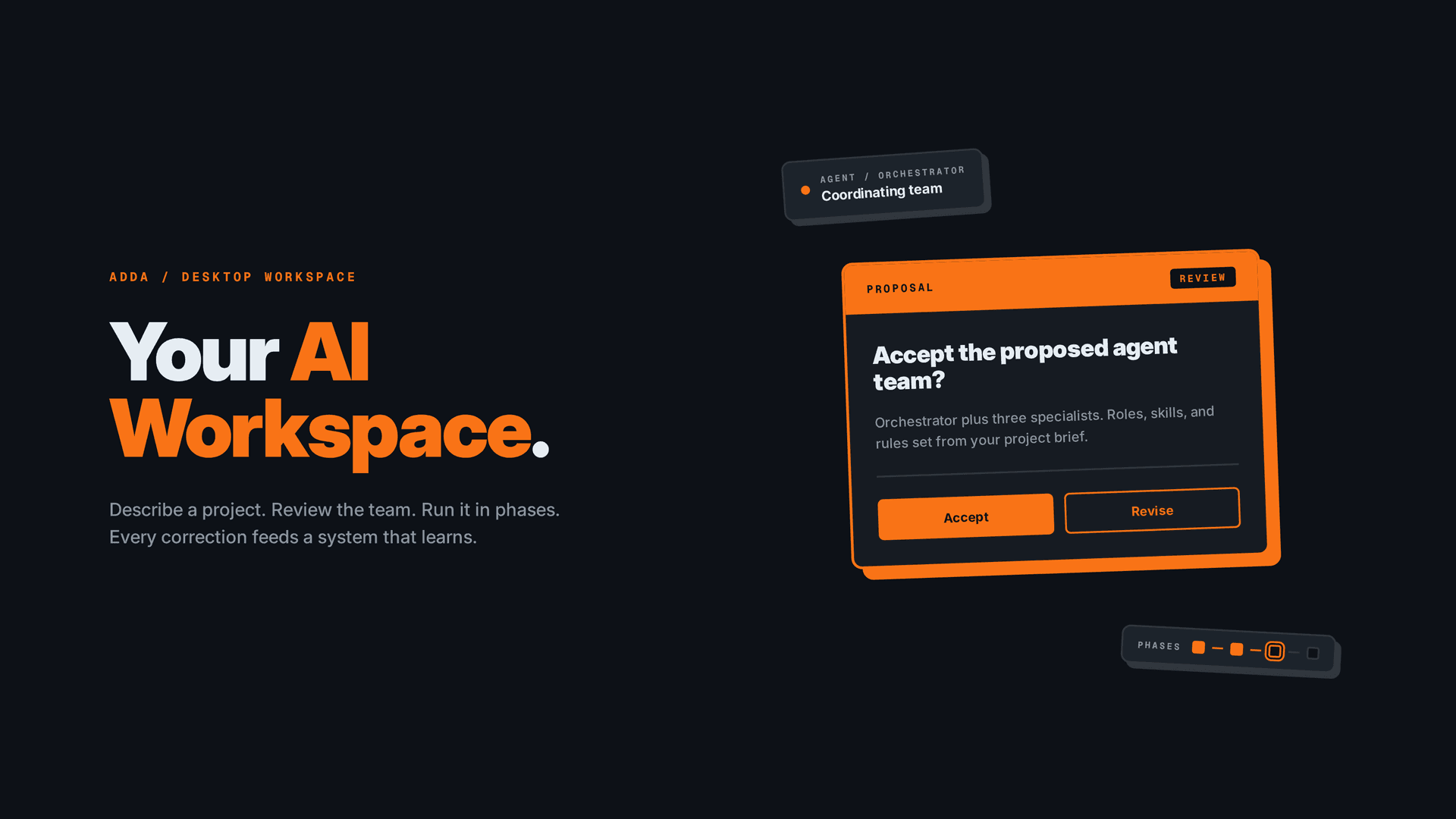
Adda is a desktop workspace for managing AI agent teams: describe a project, review the team Adda proposes, run it in phases, and every correction feeds a system that learns.
TL;DR
- Problem: Nothing exists between AI chat interfaces and developer agent frameworks for people who want structured AI agent workflows without terminal skills. 25+ tools mapped, clear gap confirmed.
- Structural model: Adda defines a project-task-phase-review model so open-ended agent work becomes manageable. Projects hold agent teams, tasks break into phases, and users review at phase boundaries. Everything runs in a real project directory on disk.
- Trust and memory: An app-level sandbox with git-backed history lets agents work without per-action prompts. A 4-layer context architecture with a 40K token ceiling keeps cost predictable. A circuit breaker halts execution after 3 consecutive failures.
- Learning loop: Every user correction is captured in a decision log. Patterns emerge at 3+ observations and surface as evidence-backed proposals the user approves. The system gets sharper with use, never changes itself on its own.
Key Outcomes
Outcomes describe what Adda does as a tool, not the design artifacts produced to specify it.
- Project-task-phase-review model: a structural foundation that turns open-ended agent work into a managed lifecycle with defined review points.
- 4-layer context architecture: Core, Task, Relevant, and Archive layers with a 40K token ceiling per call and automatic compression at phase boundaries.
- Trust model: app-level sandbox scoped to the project directory, git auto-commit before each phase, full rollback to any point, circuit breaker at 3 consecutive failures.
- 3-layer memory system: decision log captures every action, pattern detection triggers at 3+ observations, memories carry confidence scores and feed improvement proposals.
- Universal interaction pattern: one Proposal-Review component adapts across team setup, plan review, output review, revision review, and system improvement. AI proposes, user reviews.
- Technical foundation: Tauri 2.0 desktop runtime with the Claude Agent SDK running as a sidecar process, giving Adda native file system access and a clean trust boundary between the UI shell and the agent runtime.
Quick Facts
| Role | Product Designer (sole) |
| Responsibilities | Product definition, competitive research, information architecture, interaction design, visual design, system architecture |
| Team | Solo |
| Platform | Cross-platform desktop (Tauri 2.0) |
| Timeline | April 2026, present (WIP) |
| Tools | HTML/CSS (mockups), competitive research, system architecture documentation |
Background
I have built and operate 4 AI workflow systems across personal and client projects, each using structured agents, skills, rules, and self-improving loops. Running these systems day-to-day exposed the friction clearly: the tools that let me do this work are terminals, YAML files, and grep commands. Over 8 months I documented the patterns that held up across projects into a working blueprint. Adda is the desktop workspace I designed on top of that blueprint, built to make those same patterns usable without a terminal.
The Challenge

Everyone wants AI agents to do real work. But the tools split into two extremes: chat interfaces where every conversation starts from zero, and developer frameworks that require YAML configs and terminal commands.
I analyzed 25+ tools across 4 categories and created a taxonomy to map the landscape. The gap was clear.
Chat tools (ChatGPT, Claude, Gemini) are accessible but have no project structure. Developer platforms (CrewAI, AutoGen, Dify) are powerful but require coding knowledge. Nothing serves people who want structured AI agent workflows without terminal skills.
25+ tools analyzed across 4 categories.
0 tools make full lifecycle agent management accessible without terminal skills.
To make agent work visual, I first had to define the structure that a visual workspace could represent. The workspace is the surface. The structural model underneath is the design contribution.
The Solution

Adda is a desktop workspace that makes AI agent work manageable without writing code. You describe a project in plain language; Adda proposes a team of agents, scopes the work into phases, and runs them inside a sandboxed project directory with git-backed history. You review at phase boundaries, correct what is wrong, and the system turns those corrections into evidence-backed proposals that make the next run sharper.
Three modes cover the full lifecycle: Setup (build your team), Operate (agents work, you review), Review (system improves). Everything runs in a real directory on disk. Unlike chat tools where conversations disappear, Adda produces a living project: files, folders, documentation, all organized and accessible without the workspace.
How Adda Works

Adda runs as a Tauri 2.0 desktop app with the Claude Agent SDK as a sidecar process. The shell owns the UI and the trust boundary; the sidecar owns the agent runtime. Both read and write to a single sandboxed project directory on disk. That directory is the only thing agents can touch, and every change is committed to git before each phase so the user can roll back to any point.
End-to-end behavior:
- Setup: The user answers three natural language questions. Adda proposes an agent team with roles, skills, and tools. The user reviews and confirms.
- Operate: Agents execute inside the sandbox. Phase boundaries are the review checkpoints. The user watches live agent status and intervenes through chat. A circuit breaker halts everything after 3 consecutive failures.
- Review: At each phase boundary, the user approves or revises outputs. Every correction is captured in an immutable decision log.
- Learn: When corrections form a pattern (3+ observations of the same kind), the system surfaces an evidence-backed proposal. The user approves; the configuration versions forward. The system never edits itself.
The four decisions below describe the design and system choices that make each of those stages work.
Defining the Structure That Makes AI Agents Manageable

AI agent work in a terminal is completely open-ended. No concept of a "project." No defined lifecycle for a "task." No boundaries between setup, execution, and review.
I spent 8 months building, managing, and updating AI workflow systems across personal projects and client work. Things changed constantly: I added structure, removed what didn't work, and refined what did. The result was a proven model that scales.

I defined the structural model that makes a visual workspace possible: projects contain agent teams (an orchestrator coordinating specialists, each with roles, skills, and rules). Tasks break into phases with defined review checkpoints. The model targets small and medium size projects: solo builders, small teams, focused workflows. This is deliberate scope, not a limitation.
| Approach | Why accepted or rejected |
|---|---|
| Mirror the terminal with a GUI | Rejected: reproduces the complexity problem with a different skin. A GUI on top of YAML is still YAML. |
| Opinionated structure with guided onboarding | Accepted: defines the model AND teaches it through the setup experience. The structure IS the product. |
| Enhanced chat (no structure) | Rejected: no project persistence, no agent teams, no accumulation. Every conversation starts from zero. |
I chose a conversational onboarding over a form. Three natural language questions (the third optional): what you are building, who it is for, and any rules the team should follow. The AI processes answers to propose a complete agent team.

I shaped the team proposal as a tree visualization: user connected to orchestrator, orchestrator connected to specialists. Each agent card is expandable, showing role, goal, skills, and tools. An environment validation checklist runs in parallel, confirming readiness.


For experienced users, I built 6 templates that skip the conversation entirely. No model call, no cold start. Both paths converge at the same team confirmation screen.
The tradeoff: an opinionated structure means users cannot define their own project models. The workspace focuses on small and medium projects rather than enterprise orchestration. Both constraints are deliberate. The user gets a tested foundation instead of an empty canvas.
Secure by Design, Productive by Default

In terminal-based agent tools, agents either need permission for every action (which makes the user a bottleneck) or have full access (which is unsafe). My first approach mirrored terminal tools: approve every action. It was safe but unusable. The friction was the same problem I was trying to solve.
| Approach | Why accepted or rejected |
|---|---|
| Per-action permissions | Rejected: the user becomes a bottleneck approving every file write and API call. I tried this first. It failed. |
| Full autonomy | Rejected: unsafe. User loses control with no way to catch errors before they compound. |
| Boundary-level trust with phased execution | Accepted: agents productive within defined limits. Humans review at natural breakpoints. |
I structured an app-level sandbox: agents can only access the project's managed directory. Files enter only through explicit import. Within the sandbox, agents work with bypass permissions. No per-action dialogs.
This freedom is safe because every change is tracked. Git auto-commits before each phase, creating a complete history of what every agent changed and when. The user can roll back to any point.
The security checkpoints are phase boundaries: agents work through a phase, then pause for human review. A circuit breaker stops everything after 3 consecutive failures: stop, save progress, ask the user.

I built the plan review as a three-panel layout: phase sidebar (240px) for orientation, content area for the execution plan, and a chat panel (320px) for questions and changes. Changes appear as color-coded diff cards. The user applies or dismisses each change individually.

The trust model shapes every screen in the execution experience:
- Live execution: Agent cards show real-time status: current action, sources found, assumptions flagged. Users intervene via chat without pausing other agents.

- Error recovery: First message is reassurance: "Your completed work is safe." Three recovery options follow, with cost transparency. Other agents continue unaffected.

- Output review: Per-output confidence scores with approve/revise actions. Only revised steps re-run. After 3 revisions on the same output, the system suggests adding a rule.

- Budget management: Progressive escalation from passive cost display to amber warning at 80% to a modal with three recovery options at 100%.

The tradeoff: boundary-level trust means agents can make mistakes within a phase that the user only catches at review. The mitigation is git checkpoints (rollback always available) and the circuit breaker (3 failures stops execution).
Efficient Memory, Smart Context, Zero Bloat

AI agents consume tokens for every piece of context they process. Without active management, costs grow and quality drops. The design challenge: how do you make this invisible to users who do not know what tokens are, while giving power users full transparency?
| Approach | Why accepted or rejected |
|---|---|
| Load everything into every call | Rejected: wastes tokens, dilutes relevance, hits limits fast |
| Manual context selection by the user | Rejected: requires understanding of context windows and token counts |
| Automatic management, invisible by default, transparent on demand | Accepted: efficient by default. Power users can inspect and override. |
I chose to show context health as a simple percentage bar: "how full is this agent's mind." Not raw token counts. By default, the 4-layer architecture is invisible: the system loads what is relevant and compresses between phases automatically.
Users who want detail can expand a collapsible panel showing each item, its token cost, and why it was included. This "invisible by default, transparent on demand" principle runs through the entire efficiency layer.

The architecture underneath uses four layers:
- Core (~5-10K tokens): project goals and agent identity. Always loaded.
- Task (~5-20K): current task brief and phase summaries. Grows during execution.
- Relevant (~5-30K): retrieved per step using 6 relevance signals. Changes per step.
- Archive (100K+): searched on demand, never bulk-loaded.
A 40K token ceiling per call keeps costs predictable.

I structured staleness to surface proactively instead of silently accumulating. Skills unused in 20+ tasks get flagged: "Not used in 23 tasks. Archive?" Memories not triggered recently surface for review. The system watches its own complexity: when agent count or rule overlap grows, it suggests consolidation.


Memory management uses three layers that feed each other. The decision log captures every agent action and user correction in an immutable record. When patterns appear 3+ times, the system extracts them as memories with confidence scores. Memories feed improvement proposals, connecting to Decision 4.
The tradeoff: automatic context management means the system might exclude something the user considers important. The mitigation: a "Missing context?" indicator and the ability to pin items as "always include."
Every Correction Makes the System Smarter

In terminal-based agent systems, improving the system means manually editing config files and grepping through logs. I built a learning pipeline where user corrections feed directly into system improvement without touching any configuration.
| Approach | Why accepted or rejected |
|---|---|
| Manual system editing | Rejected: requires terminal skills, error-prone, no evidence trail |
| Automatic learning (system changes itself) | Rejected: removes human control. Opaque changes break trust. |
| Evidence-backed proposals with human approval | Accepted: system proposes, human decides. Same pattern as everything else. |
I chose lightweight cards at task completion for learning prompts, not notifications or modals. Limited to 1 per completion so they feel like reflection, not interruption. "You edited the tone in 60% of writing tasks. Should I add a tone guideline?"

For deeper improvements, I created the evidence cascade visualization. A Pattern node shows the detected trend. Connected Observation nodes show the specific corrections from individual tasks.
An Insight node synthesizes the interpretation. Below: the proposed change with a before/after preview from real task data. The user sees exactly WHY the system recommends a change.


I structured three learning touchpoints, each for a different moment: at task completion (a reflection prompt, 1 max), after inline edits (an immediate comparison), and after 3 revisions on the same output (a pattern recognition prompt).
Graduated autonomy is earned, never assumed. I set a threshold: 15+ reviews at 80%+ approved without edits before the system suggests reducing oversight. The user always decides. A trust history timeline shows how autonomy evolved and why.
Config versioning provides a safety net for the entire learning system. Every change creates a version record. Rollback creates a new version (history is never erased).
The tradeoff: evidence-backed proposals require the system to accumulate enough data before suggesting improvements. The minimum is 3 observations. Early in a project, the system is quiet.
This is deliberate: premature suggestions would erode trust. The system earns the right to suggest by demonstrating it has enough evidence.
Reflections
Designing for a product category with no playbook means every pattern must be earned through research, not assumed. I rejected node graphs after analyzing 12 workflow builders. I abandoned a complete design system when I realized it limited the product to one platform. I replaced the Kanban pattern after research showed it surfaces status, not what needs attention.

"AI Proposes, User Reviews" emerged as the universal interaction pattern. One 5-zone component adapted to every context: team setup, plan review, output review, revision review, and system improvement. I shaped this pattern first, then composed the workspace from it.

What Remains to Be Validated
The structural model is proven through my own operational use across multiple projects. Broader validation happens when other people use it. The conversational setup works for the project types I have tested, but different domains may need different question structures.
The graduated autonomy thresholds are designed based on my experience but untested at scale. Building the coded prototype and putting it in front of other users will be the real test. That becomes the next case study.
What the Coded Prototype Will Test
- Whether the 40K token ceiling holds across real task types or needs to be per-agent-role
- Whether phase boundaries feel like natural review points or forced interruptions once tasks run longer than a single session
- Whether the 3-observation threshold for pattern detection is too quiet (missed patterns) or too noisy (spurious proposals) in a live decision log
- Whether the sandbox plus git model scales to projects with many external dependencies, or needs a permissioned import layer
- Whether the Claude Agent SDK sidecar architecture holds up under multi-agent parallelism or needs a broker