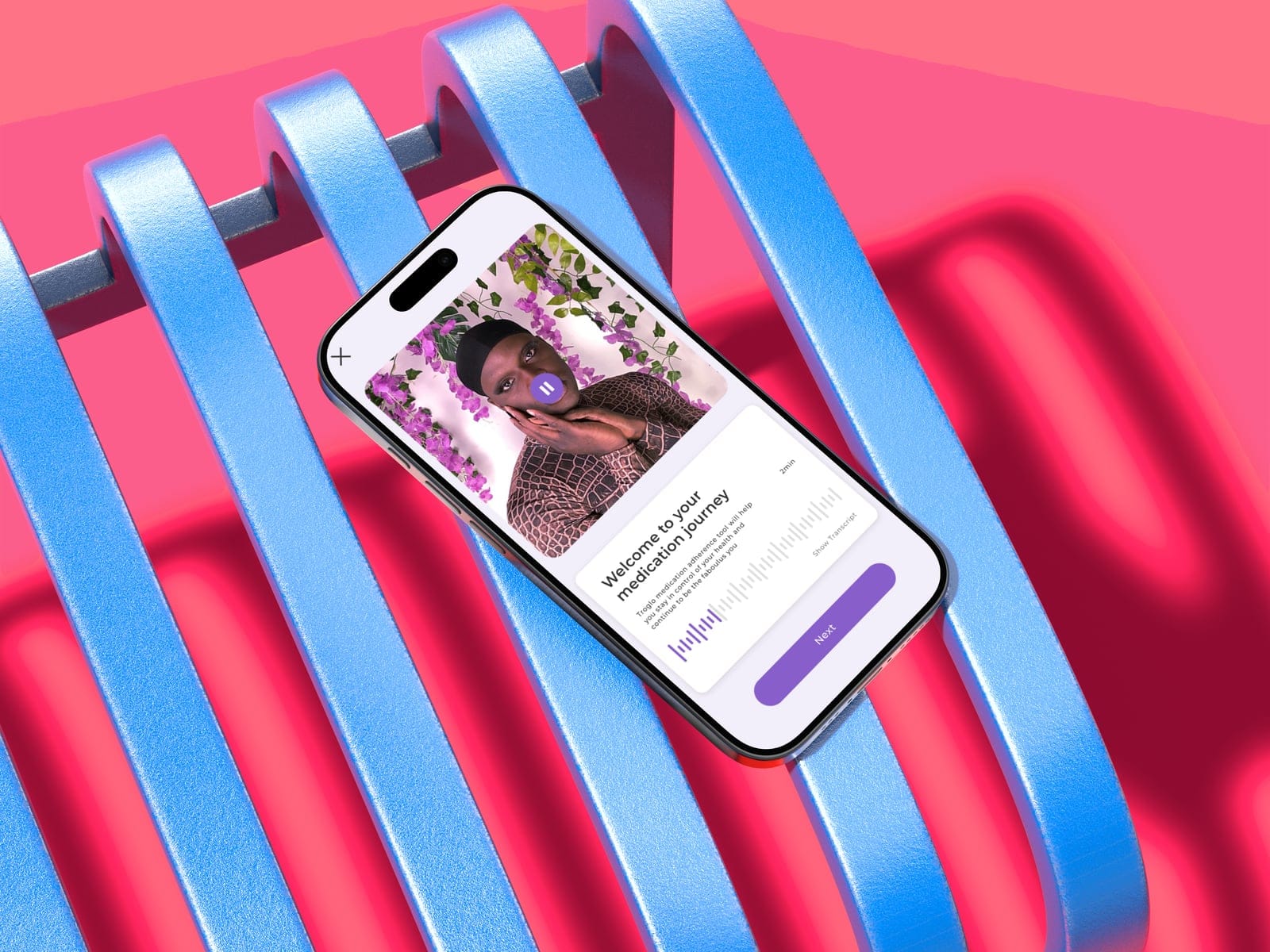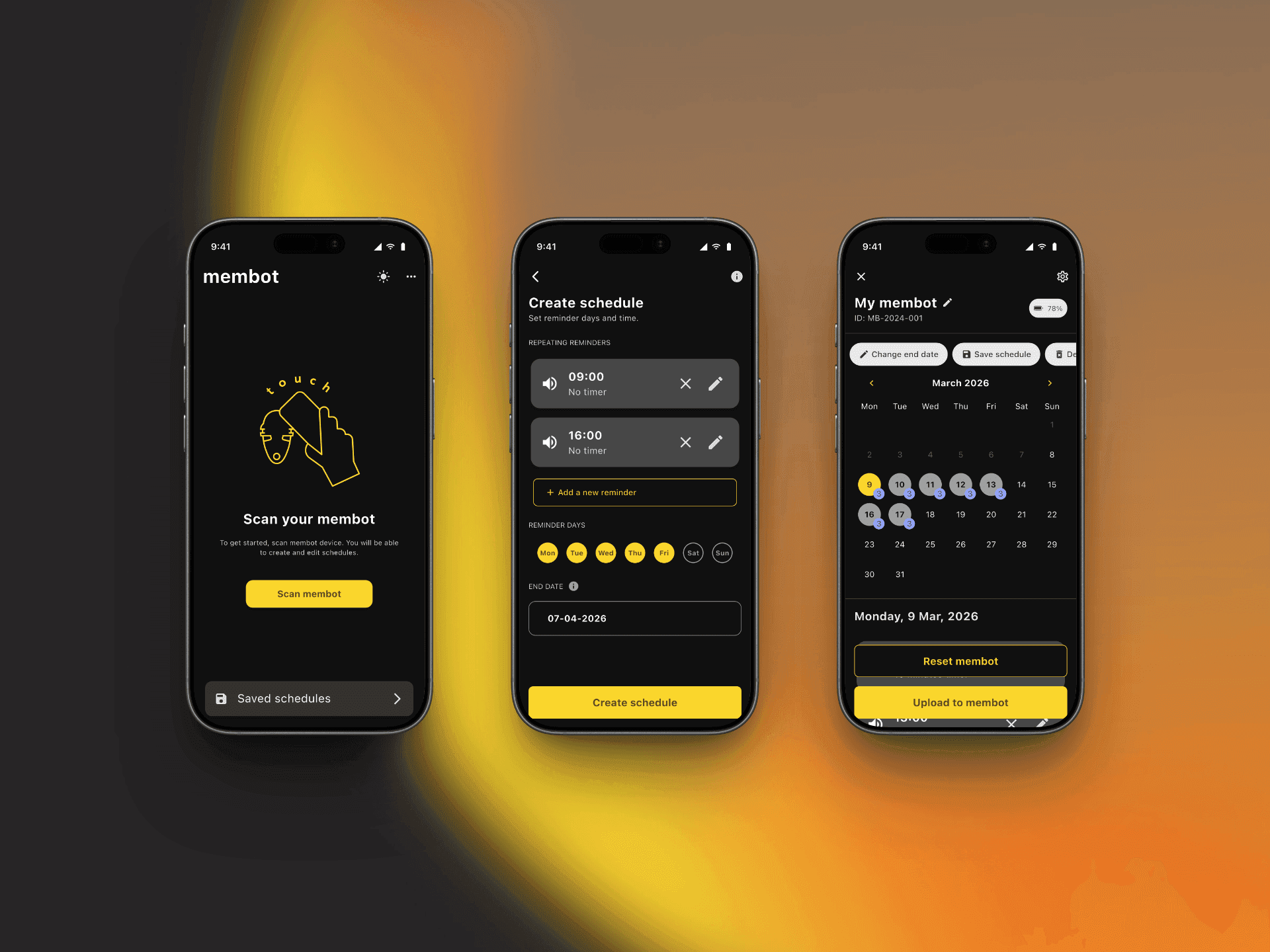
Designed and built the iOS + Android companion app for Membot, a portable NFC reminder device with no screen. Complex medical scheduling became a single-page flow that caregivers can set up in minutes.
TL;DR
- Problem: Membot has no screen, no Bluetooth, no WiFi. Only NFC. The companion app had to carry all the clarity the hardware couldn't show.
- Key decision: Prototyped both a multi-page wizard and a single-page form. Single-page shipped because immediate comprehension beat guided steps for infrequent use.
- Approach: Sole designer and developer. Discovery workshops, 5 wireframe rounds, Flutter build, byte-level NFC encoding.
- Outcome: Launched on both app stores. Client returned for additional scope.
"Your comprehension is very, very good... probably the best I could offer." (Founder, Uno International)

Quick Facts
| Role | Product Designer (sole designer + developer) |
| Responsibilities | Discovery, wireframing, UI design, Flutter development, NFC integration, handover |
| Team | 1 founder/director, 1 hardware developer |
| Platform | iOS + Android (Flutter) |
| Timeline | 6 months (Aug 2024 to Jan 2025) |
| Tools | Figma, FigJam, Flutter/Dart, Xcode, VS Code, GitHub, TestFlight |

The Client
Uno International is building Membot, a portable NFC-powered reminder device designed for elderly patients and caregivers managing medication schedules. The device has no screen, no Bluetooth, no WiFi. Just LED flashes, beeps, and a single button. Everything the user needs to understand has to come from the companion app.
The founder had deep domain knowledge in medical device development and a hardware developer building the firmware. What they needed was someone who could own the entire companion app: design through development, workshop through App Store.
The Challenge

Membot communicates through LED flashes, beeps, and a single button. No screen. NFC (physical phone-to-device contact) is the only data channel. Once a schedule uploads, the device runs independently.

- Target users: elderly patients (50-60+), people with Alzheimer's, NHS patients, caregivers
- Baseline assumption: low tech familiarity
- Founder's requirement: a pharmacist or caregiver programs the device in about 3 minutes, no manual needed
The app wasn't a remote control. It had to carry all the clarity the hardware couldn't show.
What I Built

A cross-platform companion app in Flutter. Schedule creation lives on a single page: add reminders, set repeat patterns, configure the buzzer, all visible at once.


- Single-page form, no multi-step wizard
- Three NFC flows: scan (read state), upload (write schedule), reset (clear device)
- Smart defaults: maximum duration pre-filled, all days selected, buzzer on
- UTC under the hood so reminders never shift with daylight savings
The Process
The founder later reflected: "We went very slow in the beginning in a very high speed in the end." That pace was deliberate at first (structured discovery, workshops, stage-gates) but too slow for a 2-person startup. I adapted mid-project and accelerated into rapid iteration.
How I tested. Five wireframe iterations compared a multi-page wizard against a single-page form, decided through stakeholder design reviews. A separate user test wasn't possible: the app shipped before the hardware existed, so final verification ran internally on NFC test devices.
Discovery workshops defined the NFC constraints, target users (elderly patients, caregivers), and the 3-minute setup requirement. Five wireframe iterations tested both a multi-page wizard and a single-page form. The evidence pointed to single-page, and both the founder and hardware developer agreed. From there, the Flutter build moved fast: NFC integration, byte-level encoding, feature scoping (cutting complexity for medical safety), and TestFlight distribution. The app shipped to both app stores and the client returned for additional scope.

Decision 1
Made the App Carry Everything the Device Could Not Show

When a user holds their phone to the Membot, nothing visible happens on the device. No progress bar, no indicator. For a medical device, that silence is a safety risk.
| State | What the user sees | Key actions |
|---|---|---|
| Empty device | "Scan your membot," clean slate | Create schedule, upload |
| Existing schedule | Calendar showing loaded reminders | View, modify, overwrite, reset |
| Post-upload | "Membot is ready" confirmation | Summary of what was sent |
I designed distinct UI flows for each state. Each transition fires from an NFC scan. Confirmation safeguards block every destructive action: overwrite warns, reset requires confirmation, navigating away prompts a discard dialog.


Tradeoff: More hardware states meant more UI states to design and test. But a user who isn't sure whether their medical device is programmed? That's a safety risk, not just a usability issue.
Decision 2
Prototyped Both Approaches, Shipped the One the Evidence Supported

The team had competing mental models. The founder pictured "stickers on a calendar." I leaned toward a multi-page wizard for lower cognitive load. Rather than debate, I framed it as a testable question.
| Approach | Strengths | Weaknesses |
|---|---|---|
| Multi-page wizard | Lower cognitive load per screen, guided progression | More taps, harder to compare reminders, easy to get lost |
| Single-page form | Everything visible at once, fewer screens | Higher density, potentially overwhelming |
I prototyped both across 5 wireframe iterations and walked them through design reviews. The founder and hardware developer both gravitated to single-page: for an app used infrequently, seeing everything at once beat guided steps.

Tradeoff: Single-page trades step-by-step guidance for immediate comprehension. Visual hierarchy became the main layout challenge, but testing both early was cheap. Five iterations proved the direction before any Flutter code.
Decision 3
Cut Features to Make the Schedule Model Safer

For a medical device, complexity is a safety problem. A confused caregiver misconfiguring a reminder means missed medication. The founder flagged per-reminder volume and pattern settings as "very, very complex."
| Feature | Original scope | Shipped as | Rationale |
|---|---|---|---|
| Frequency | Hourly, daily, weekly | Daily + weekly only | Hourly doesn't serve the medical use case |
| Timers | Multiple per reminder | One per reminder | Fewer configuration errors |
| Buzzer | Per-reminder volume, pattern, LED | On/off per reminder; volume/pattern/LED global | "Morning quiet, evening audible" is real; per-reminder volume is too complex |

Smart defaults carried the simplification further: maximum duration pre-filled, all days selected. Creating a "take this medication every day" schedule takes minimal interaction.

Tradeoff: No hourly reminders, no per-reminder volume. For elderly patients and caregivers, fewer options means fewer errors. Every removed setting is one less thing a caregiver can misconfigure.
Decision 4
Chose Flutter for NFC Access, Then Learned Byte-Level Encoding

As the sole designer and developer, the framework choice determined whether I could access NFC hardware at all. The data format determined whether the device's limited processor could interpret what the app sent.
| Framework | NFC support | Cross-platform | Tradeoff |
|---|---|---|---|
| React Native | Weak, JS bridge is "basically a shell" for hardware | Yes | NFC blocked |
| Flutter (chosen) | Strong, native hardware access via platform channels | Yes | Less familiar, full NFC capability |
| Native (Swift + Kotlin) | Full | Two codebases | Impractical for solo developer |
The embedded device couldn't parse JSON (RAM too limited). Schedule data had to be encoded as flat binary byte arrays. I built byte_converter.dart to translate the schedule model into the exact byte sequence the firmware expects.


Tradeoff: Byte-level protocol work isn't typical UX engineer territory. But because I owned both design and development, every UI decision could account for NFC constraints on the spot. I never had to throw a design over a wall and wait to hear it wouldn't work.
Decision 5
Made Timezone Handling Invisible So Reminders Never Shift

The device has no clock, no timezone awareness, no network connection. If daylight savings shifts by an hour, what time does the reminder fire? For a medical device, wrong timing means missed medication.
| Approach | How it works | Limitation |
|---|---|---|
| Device handles timezone | Device tracks and adjusts | No network, no GPS, impossible |
| Phone handles timezone (chosen) | Converts to UTC before upload; converts back on read | If device moves timezone without re-sync, times offset |
Users never see "UTC" anywhere. They set "8:00 AM" and it means 8:00 AM. Daylight savings absorbed by the phone's timezone database.

Tradeoff: Carrying the device to a different timezone without re-syncing offsets reminders. Acceptable: the device is for fixed-location home use. Medicine cabinets don't change timezones.
Reflection
"We went very slow in the beginning in a very high speed in the end." (Founder retrospective)
I started with structured discovery: workshops, stage-gates, requirements. Too slow for a 2-person startup. If I did this again, I'd iterate faster from day one. Match process to team size.

The single-page decision was only possible because I prototyped both before anyone committed. I didn't pick right on the first try. I structured the decision so the evidence could point the way.
Owning design and development wasn't a nice-to-have here. The NFC byte encoding wouldn't have worked with a traditional handoff. The hardware developer called the documentation "a real highlight" and independently pushed TestFlight releases after I left.